# User Profile
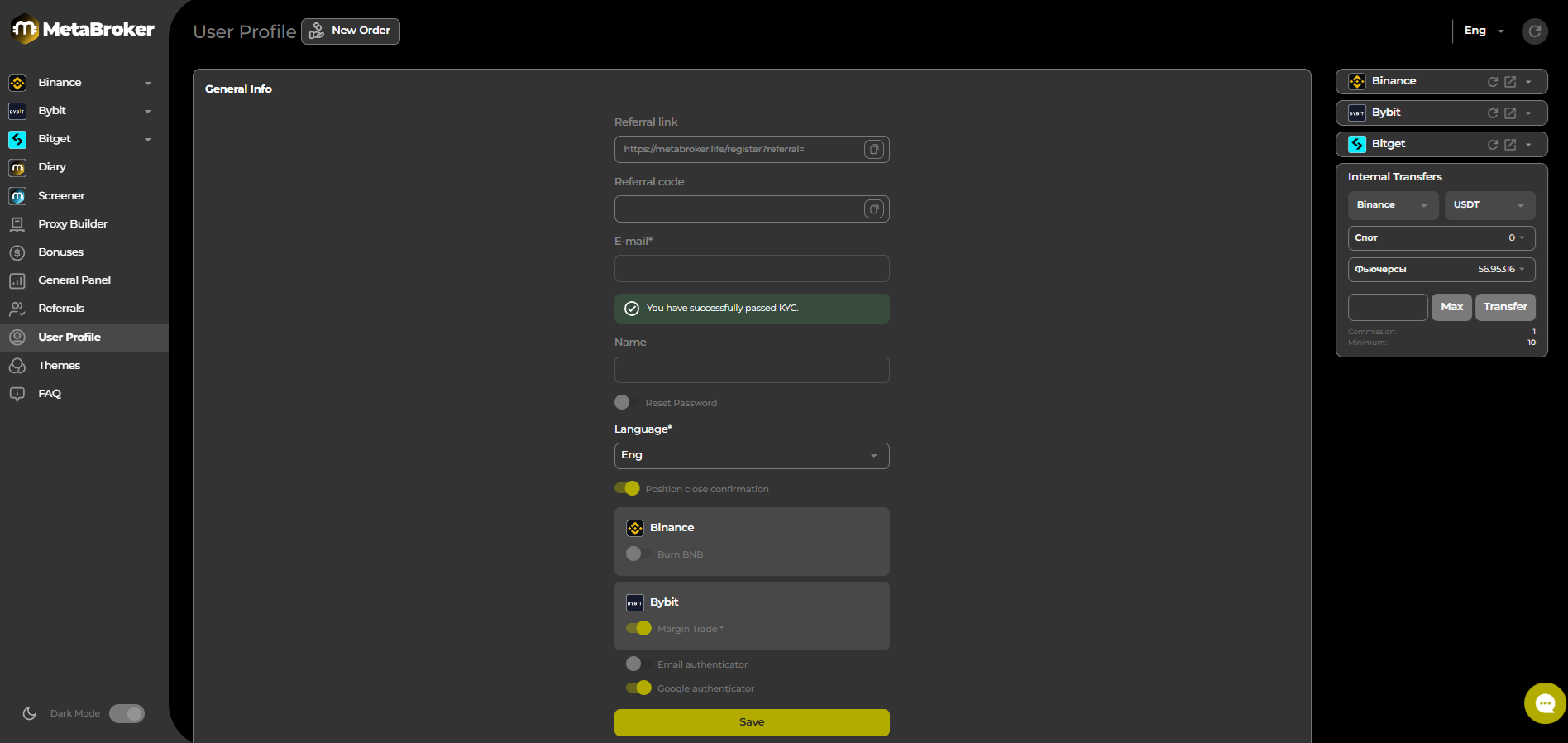
On the ‘User Profile’ page, you will find the general settings for your personal account.
| Email | The email address used to register your account. |
| ------------------------- | ----------------------------------------------------------------------------------------------------------------------------- |
| Name | Your username. |
| Reset password | Move the slider to the right to change your personal account password. |
| Binance:Burn BNB | Move the slider to the right to burn BNB as a commission. |
| Binance: Multi asset Mode | Move the slider to the right to enable Multi-asset Mode. |
| Bybit: Enable UTA mode | Move the slider to the right to enable UTA Mode. |
| Bybit : Margin trade | Move the slider to the right to enable Margin Trading Mode. |
| Email authenticator |
Move the slider to the right to enable authentication and receive confirmation codes to your email address.
|
| Google authenticator |
Move the slider to the right to enable Google Authenticator authentication.